2012-06-11 KiN2
First Look
Are you kin2 me?
KiN2 is a new site, that has just entered Beta.
KiN2 is a freemium service; the basic site is free to use,
a KiN2 Pro subscription service is coming soon
.
Some features can be used immediately,
but most features requires that you log in - with FaceBook.
You cannot simply create an account with KiN, you have to use your FaceBook account.
KiN2
The KiN2 service has been in development for some time.
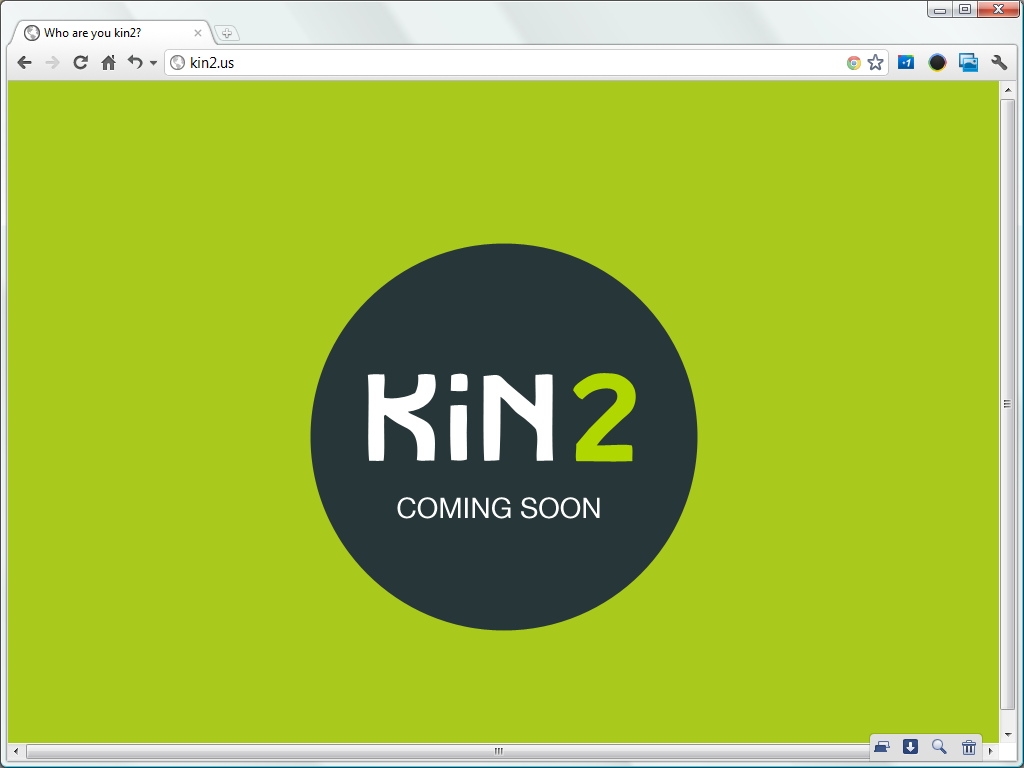
The site went live last year already, but it was not very exciting yet;
it was just a page that told you that KiN2 would be coming soon
.
KiNection Finder
This is what the site looks like today: a mosaic of faces, with the KiNection Finder dialog overlaying it.
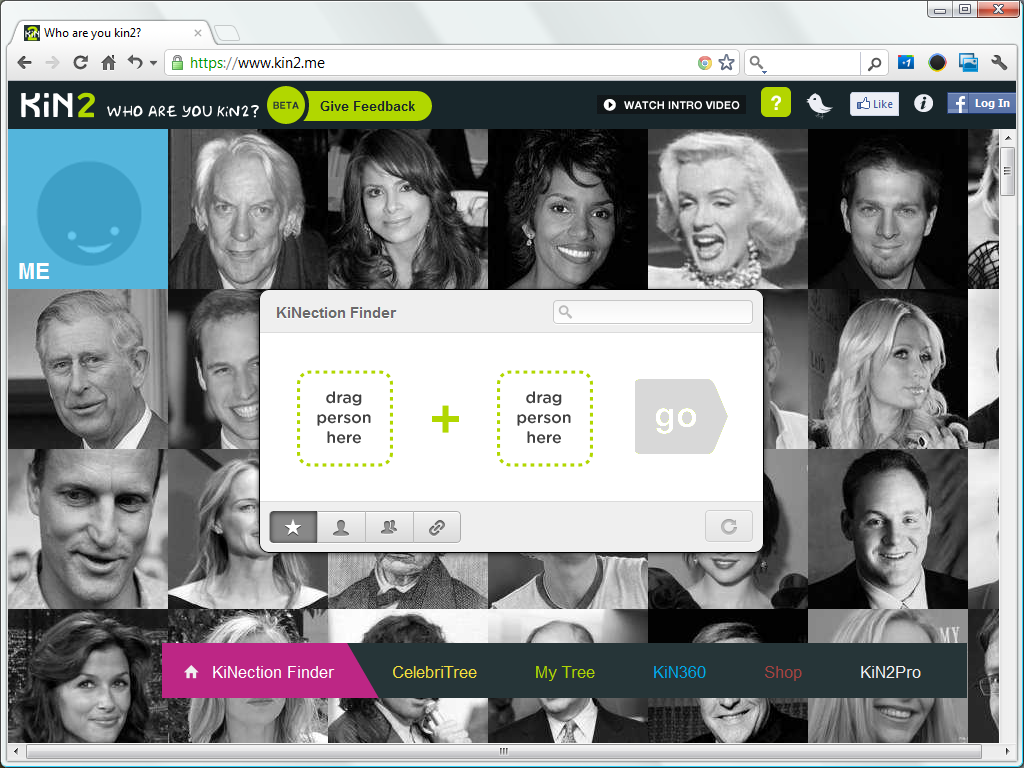
The faces are those of famous people. When you hover over a face, the name is shown. The KiNection Finder is a drag & drop kinection finder; it invites you drag any two faces to find their kinection.
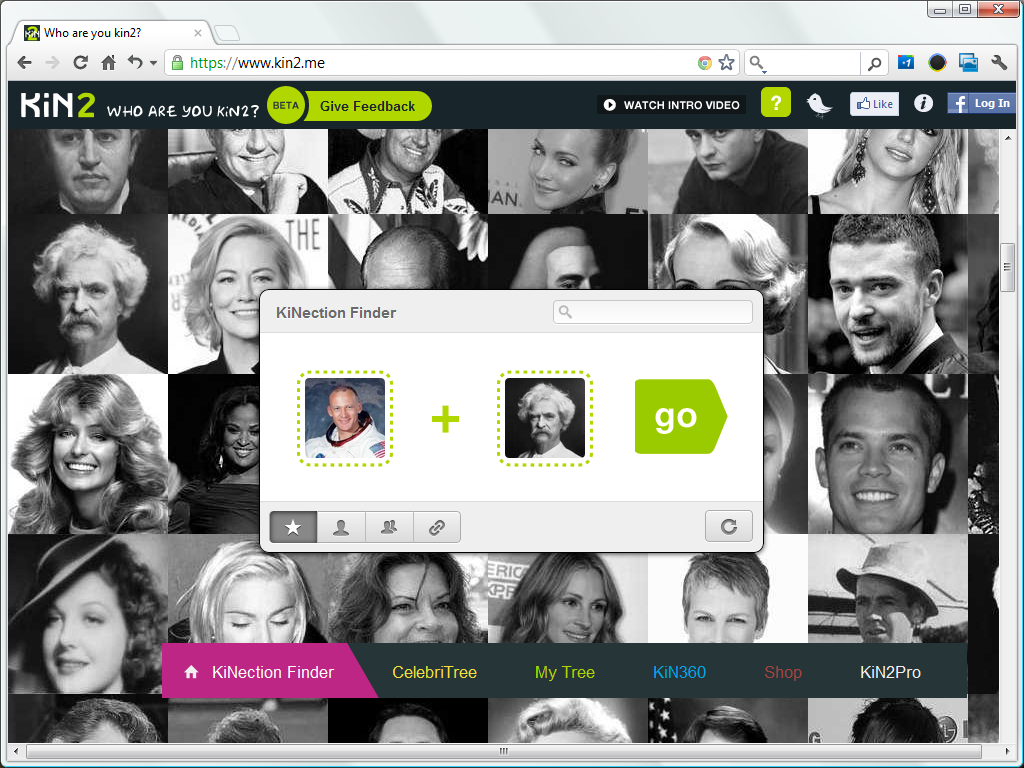
I dragged the photos of Buzz Aldrin and Mark Twain into the KiNection Finder
and clicked the Go
button.
A few seconds later, KiN2 claimed KiNection Found!,
specifically that Buzz Aldrin is 19 degrees from Mark Twain
.

The page shows Buzz Aldrin on the left, Mark Twain on the right, and a bunch squares that represent how they are kinected in between. The squares overlap each other, but this is a cover flow user interface which you are probably familiar with from Apple iTunes; the slider below the squares lets browse through these these squares.
The squares show just a last name and year on top of a stylised padlock.
There is a small i
icon in the top right corner of each square, which you can click for more information.
If you do so, you are prompted to login to use this feature
.
Below the squares is an $ 1.99
link to Unlock all details
,
but clicking that link does not immediately take you to some transaction page,
but the same invitation to login to use this feature
.
KiN2
There's a KiN2 introduction video on YouTube. It explains that KiN2 is all about finding connections, to famous people as well as your kid's teacher. You start by entering your own family, then try to fill in some gaps, asking grandma for help with your great grandparents. Your family group is compared to others, so KiN2 can show how you are related to celebrities, historical figures and your FaceBook friends.
menu
In these screen shots I made back in April, the site's menu is along the bottom, and the menu items are ⌂ KiNection Finder
, CelebriTree
, My Tree
, KiN360
, Shop
and KiN2Pro
.
The menu has changed since then.
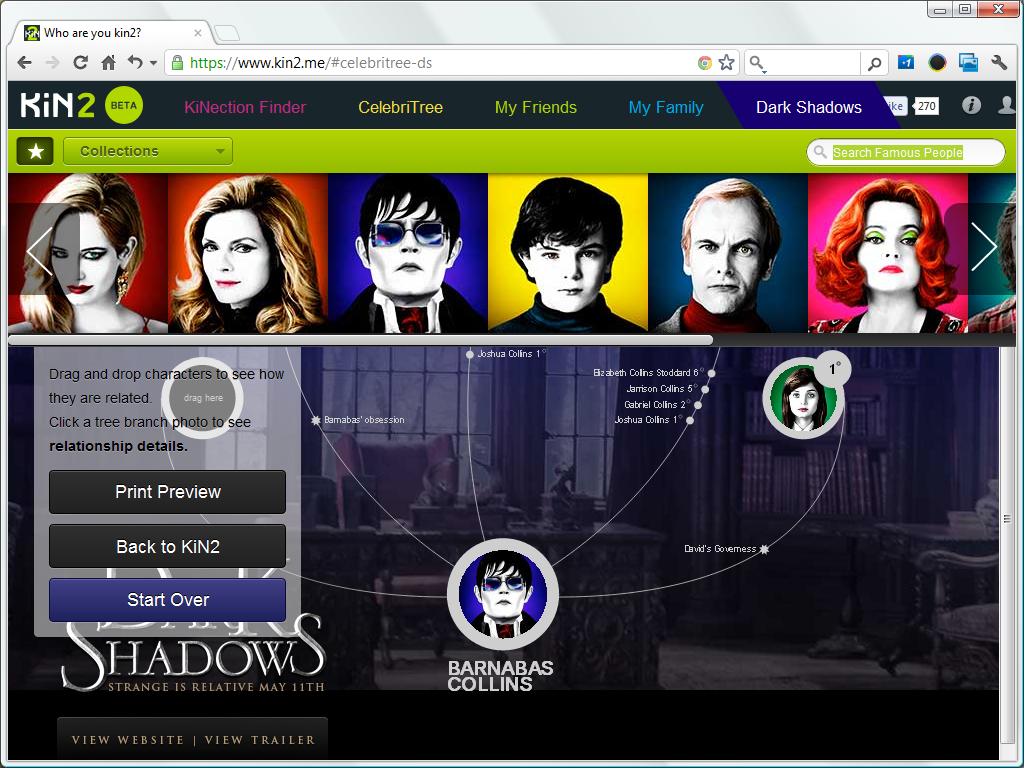
The menu is along the top now and the menu items are KiNection Finder
, CelebriTree
, My Friends
, My Family
, and Dark Shadows
.
The meaning of most menu items is fairly obvious.
That last menu item is a tie-in to the Dark Shadows movie released this years.
The KiNection Finder
links back to the home page with the KiNection Finder.
CelebriTree
The Dark Shadows page shown above is based on the CelebriTree page.
The CelebriTree page is KiNection Finder on steroids;
you get to choose one celebrity to focus on, and up to five other celebrities.

This CelebriTree shows how Joan of Arc, Henry Vii of England, Nicole Kidman, Edgar Alan Poe and Madonna relate to Angelina Jolie. If you click any of the other five circles, KiN2 will show you how that celebrity is connected to Angelina Jolie, the central celebrity in this CelebriTree, by showing a KiNection page.
Notice the large purchase
button.
KiN2 is overtly commercial.
kinections versus connections
There is a large database behind KiN2, with profiles for many celebrities.
The KiN2 site refers to the connections between the profiles as kinections.
I find it interesting that KiN2 charges for kinections between celebrities while the site remains silent about the quality of the presented information.
KiN2 surely uses an same algorithm to find the shortest possible connection between two celebrities in their database
similar to the algorithm a route planner uses to find the shortest route between two location,
yet KiN2 does not even guarantee that they found the shortest route kinection.
The KiN2 database is large, but by no means complete, so there may be shorter kinections that are not yet in the database.
A more fundamental concern is KiN2 does not even guarantee that a kinection between KiN2 profiles is an official connection between the celebrities involved;
KiN2 has a large database, but their reports do not present any information about the quality of that database.

Terms & Conditions
KinN has an info page.
You reach this page by clicking the circled i
icon the top right corner.
That page includes links to the KiN2 Terms of Use, Privacy Policy and Submission Guidelines.
Subscription renew automatically and any fees you pay are non-refundable.
Your information is not sold or disclosed to a third party.
You license them to reproduce the content you post to their site.
The terms and conditions make it clear that the site is owned and operated by Z-Corp. Z-Corp is a holding company, best known for OneGreatFamily.

OneGreatFamily's GenealogyCloud
KiN2 uses the OneGreatFamily database through GenealogyCloud.
GenealogyCloud is OneGreatFamily's API, introduced back in 2009 (see GenealogyCloud).
The RelativelyMe app, the new KiN2 app and OneGreatFamily site itself are all built on top of GenealogyCloud, the OneGreatFamily API.
When I asked CEO Robert Armstrong about the GenealogyCloud API back then,
he did not want to name names but stated that quite a few
desktop vendors has shown interest.
As far as I know, that interest still hasn't translated into third-party products using GenealogyCloud.
The KiN2 site requires you to log in with your FaceBook account because, although it is running on its own domain, it really is a FaceBook app.
You cannot simply log in with your FaceBook account, you actually need to install
KiN2 in your FaceBook account.

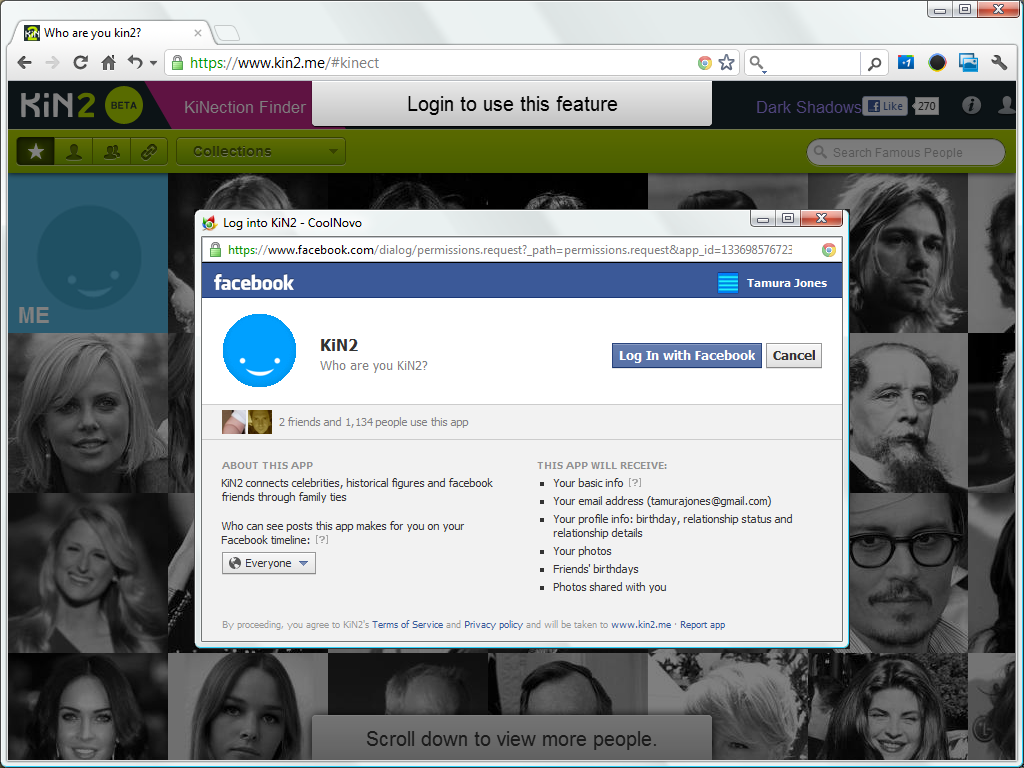
You may recall that OneGreatFamily used to have another FaceBook app. Back in 2009, they introduced RelativelyMe. It is gone now; although it used the same database as OneGreatFamily, it wasn't a big success, and they withdrew the app after a while. All that remains of the RelativelyMe app is the home page on the RelativeMe domain.
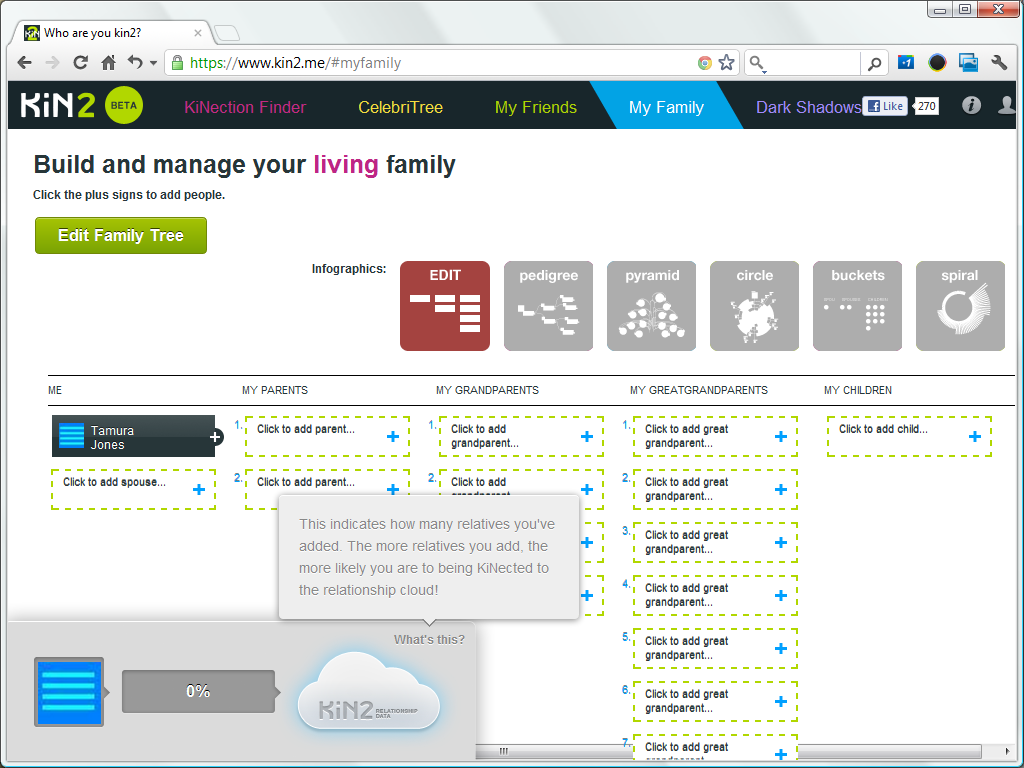
KiN2 My Family
Once you're logged into FaceBook and have the given the KiN2 app the permissions it wants, you can explore more features.
This screenshot shows the My Family
page.
That's what earlier betas called the KiN360 page
page.
This page simultaneously invites you to add your spouse, children and three generations of ancestors,
and shows you how much you've already done.
The infographics icons, not on some menu along the top or the side, but on the page itself, tease you;
you can have these graphics, but you'll have to enter your data first.
There's a panel with a progress bar in the lower left corner.
It shows your progress in filling out the My Family
page.
It starts at 0%, and shows 100% once you've filled out three generations of ancestors.
GEDCOM import and export
The one thing sorely missing here is GEDCOM import.
That's odd, because, as I pointed out in 2009 already, the GenealogyCloud API does include a GedcomUpload function.
There does not seem to be any GEDCOM export either.
I do not upload my data to genealogy clouds; I am not optimistic about to the ability of these apps to handle large databases, and am not eager to give all that data to some commercial company or controversial cult. Besides, it would be illegal to do so, unless I had written permission from all living individuals.
FaceBook Social Graph
KiN2 does try to make the most of the FaceBook's Social Graph.
The My Friends
page lists your FaceBook friends and invites you to tag your family
.
When you click a person, you can choose their relationship to you.
The list you get to see depends on both your own and their gender.
This is the list of choices I got for a female friend: Wife
, Sister
, Mother
, Daughter
, Aunt
, Niece
, Cousin (female)
, Grandmother
, Stepsister
, Stepmother
and Stepdaughter
.
KiN2 seems to support heterosexual partnerships only.
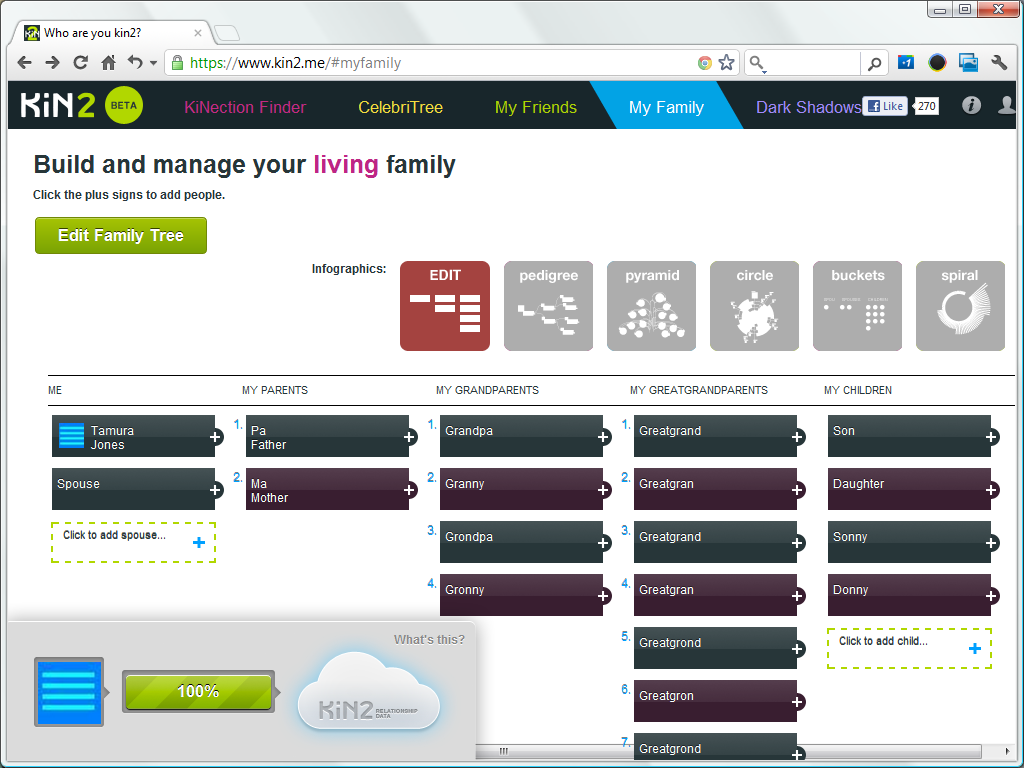
Infographics
To try the various graphical views that KiN2 offers, I entered some placeholder data. These views are nice, but most do not fit in the viewport of the 1024 x 768 browser window as I still use for screen shots.
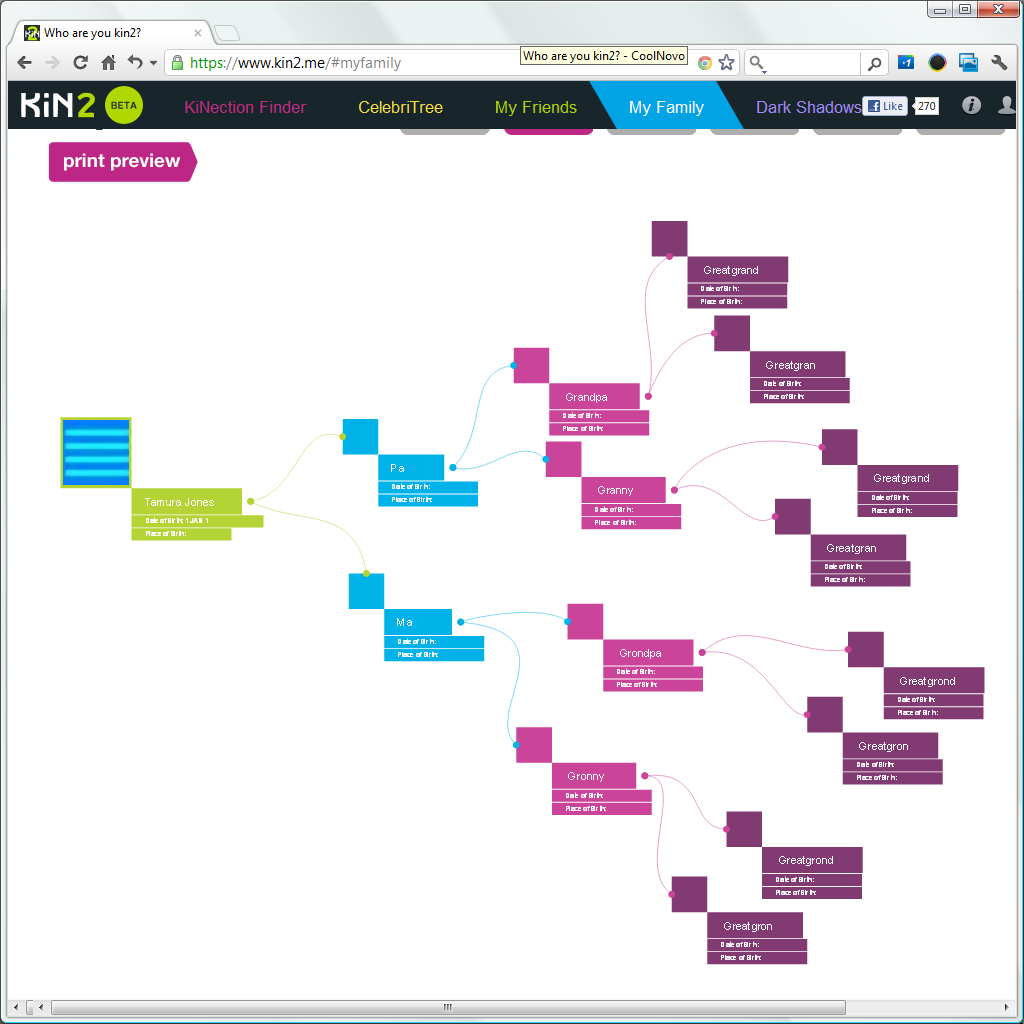
The pedigree view shown here hardly fits when I use a 1024 x 1024 window.

The pyramid view requires horizontal scrolling to fit in a 1024 x 1024 browser window, which is a bit hard because of some browser defect, the view actually overlaps most of the scrollbar. The browser used for the screenshots is CoolNovo, formerly Chrome Plus.
By the way, if you look closely, you can see that KiN2 says that I was born on 1 Jan 1
.
KiN2 retrieved data from my FaceBook profile, but my date of birth is not on my public profile.
KiN2 ended up using a default value.

The circle view does not look bad, but you cannot change anything. You cannot change the colours, you cannot change the shapes, you cannot change the line type or the fonts, you cannot change what data is displayed, and you cannot choose anybody but yourself as the proband.
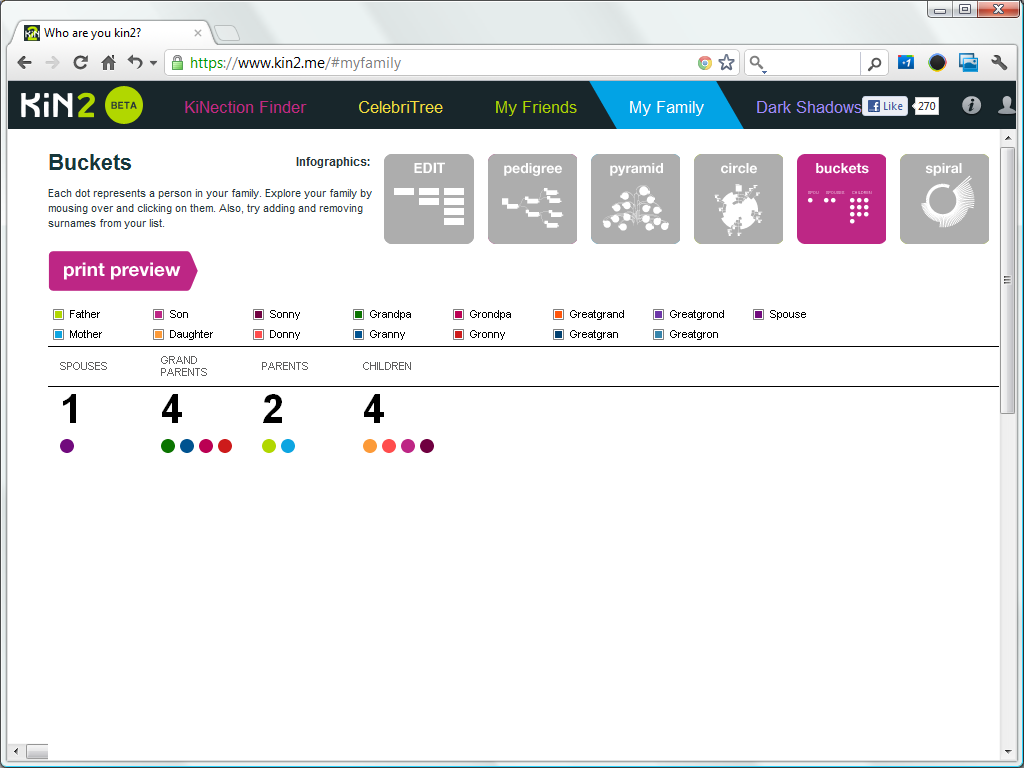
The buckets view fits in a 1024 x 768, but it is just a bunch of dots;
the dots do not even show a names until you mouse over them.
The order of the buckets, spouses first, followed by grand parents, parents, and children is odd.
The dots have different colours, and there is a legend above the dots.
The boxes in the legend are check boxes; you can check or uncheck a name, and the display of dots will change to include or exclude that name.
I haven't seen a bucket view in any other genealogy application, and apart from being colourful, it does not seem to have a purpose.
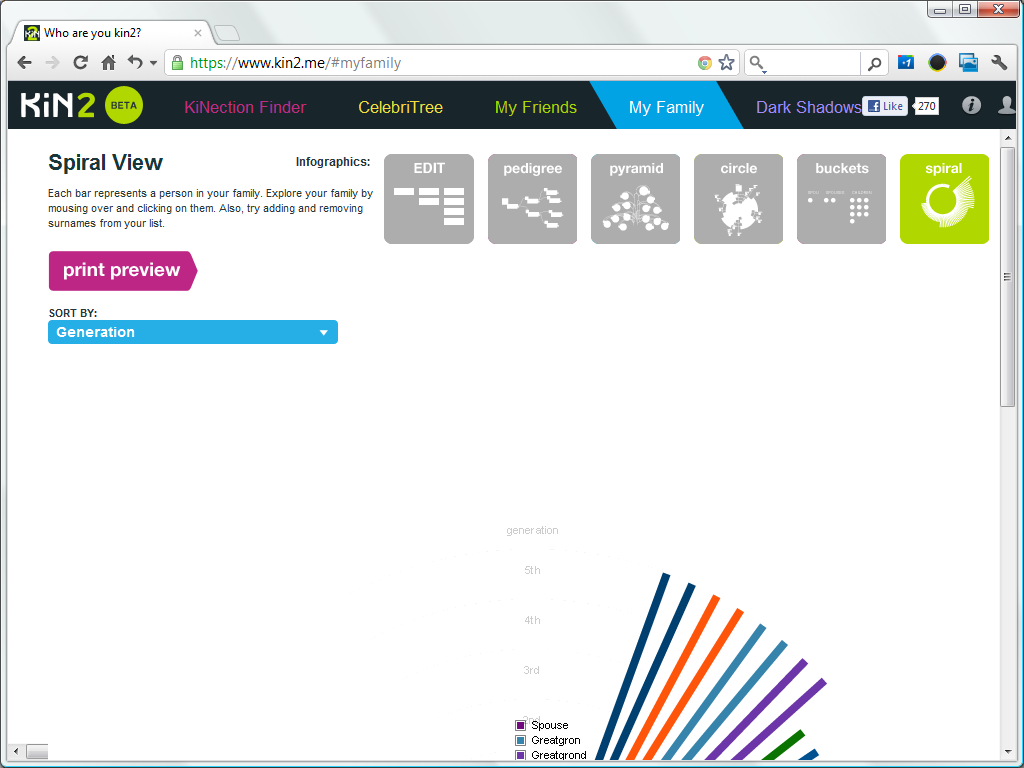
This screenshot of the default spiral view shows how KiN2 fails to center its drawing within the viewport. You are not really missing anything. The spiral view seems to need birth dates to work well, and I did not enter any.
iPhone app
There's a KiN2 iPhone app.
Version 1.0 was released on 2012 April 4. and it requires iOS 4.3 or later.
The iTunes store lists the KiN2 app as an app by Z-Corp; Z-Corp is the holding company of OneGreatFamily.
There are two brief YouTube video that shows how the iPhone works.
There is no KiN2 app for Android yet.
business move
KiN2 is not just a app for users, it is also a showcase. The KiN2 app shows off both the substantial OneGreatFamily database and their GenealogyCloud API, to create interest among third parties.
The flashy looks and gimmicks are sure to attract new users and draw press attention. New users will help OneGreatFamily to grow their database further.
summary
KiN2 is new web app, or rather FaceBook app, by OneGreatFamily.
You need to have a FaceBook account and you must give permissions for the app run.
It looks considerably flashier than their original, and long since abandoned, RelativelyMe FaceBook app.
The app is based on their GenealogyCloud API.
There is a matching iPhone app, there is no Android app, at least not yet.
The app offers rather rudimentary functionality, comparable with We're Related.
It uses the FaceBook Social Graph to easily select family members from your FaceBook friends, but lacks GEDCOM import and export.
The KiNection Finder and the CelebriTree are gimmicks to generate interest and show off their database.
The various views the app offers are its biggest serious draw.
These views look nice, but don't think that this is a charting app.
The views are fixed, and there are no charting options at all,
but may still draw genealogists looking for a different chart.
We haven't heard much from OneGreatFamily in recent years, and competitors like Geni were getting all the press. The introduction of the KiN2 app is OneGreatFamily trying to connect with the Geni generation.
links
KiN2
- KiN2.me
- OneGreatFamily
- RelativelyMe
- YouTube: KiN2 Intro Video
- Genealogy APIs
- GenealogyCloud
- FaceBook Genealogy
- Shared Trees
- Geniology
terms & conditions
iPhone app
Copyright © Tamura Jones. All Rights reserved.